BREAKING NEWS

IT Services Computer Repair San Clemente


Everyone get's stuck every once in a while with their technology, don't worry that is when the friendly knowledgeable staff from RTGit can show up and get everything working for you again

Need help with 
  • Network or Wifi set up
  • Pinter and Wifi Printer set up and training
  • Upgrades and backups
  • WiFi Home Automation and Security  
  • Voice Activated Devices, Alexa and Google Home
  • Something Else Internet Related 
If it plugs in, turns on, connects to the internet, and is not working for you, please give us a call and tell us you saw it here!  (949) 370-3069

National Small Business Week San Clemente #AllForSmallBiz

National Small Business Week San Clemente!
Happy National Small Business Week San Clemente
Small businesses like yours are the growth engine of the US economy, creating 2 out of every 3 net new jobs  To support small businesses RTGit is hosting a National Small business event here in San Clemente! This is a free event making it easier for you to get your small business online and connect with more customers.

FREE EVENT: GET FOUND ON GOOGLE SEARCH AND MAPS
HOSTED BY READY TO GO INFORMATION TECHNOLOGIES

Friday, May 5, 2017
Noon-1PM

Executive Suites at Talega


360 Virtual Reality Photography San Clemente


360° Virtual Reality Photography San Clemente

What if you could let your customers walk into your store, look around and see if there was anything they wanted, right from the comfort of their computer or mobile device? This is what virtual reality can do for you. Selling a home? Let a potential buyer do a walkthrough at 3am without waking you up. VR can let a seller set up that walkthrough and share an immersive 360 degree video of the location in a click. Need a photo set for insurance purposes? With virtual reality you can be found in maps and with Google cardboard you can literally be inside of a space. If you are looking for a virtual reality photographer in the Orange County area please contact us today!

This is a limited time offer, restrictions do apply (949) 370-3069  
360 Virtual Reality Photography San Clemente
Click Here for More 360 Virtual Reality Photography San Clemente

Curation Station: Keep the Quality Content Coming

Curation Station: Keep the Quality Content Coming
Finding relevant, timely and high quality content to share on a daily basis takes time and an eye for what is going to resonant with your community. Providing this material builds your reputation as a resource in your niche. Curating a strong social streams keeps you educated on trends in your industry, feeds your creativity and connects you to your audience.

Here is a sample of places to source for recent, relevant and local material to share to your social networks.

1. Klout.com
Klout.com is a website and mobile app which uses social media analytics to rank users according to their social media influence. Recently Klout added a new feature which suggests trending posts. Sign in and click on "Create" to find a list of recommended posts. Add the topics you wish to explore. Posts are labeled "Hot Off the Press," "Trending" or "Hidden Gem" if less than 9% of your audience is likely to have seen the link.

2. Keywords Phrases with Google Alerts
Tap into the lexicon of your audience keep abreast of those alerts to find the most current and relevant articles to share.

Visit www.google.com/alerts and enter your search query. Use Boolean search to adjust your queries. (For example Surfboard + "San Clemente"  will result in finding articles with include both Surfboard and San Clemente and will not bring up searches where san and clemente appear as separate words.)

These results will then be delivered to an email of your choice. You may want to set up some rules in your email box to optimize your email experience.

3. #Hashtag Haven and Trending Topics
Twitter, Facebook, Google Plus, StumbleUpon as these social media sites have adopted the #Hashtag. Take a few moments to visit each and perform a quick search of your keywords to see if any newsworthy material rises to the surface. Always include a peek at the Trending Topics to see if any are relevant to your market.

4. Bitly.com
When you have a free account with bitly you not only have the priviledge of using their link shortening service but you also have access to click through rates to top content from your networks. This gives you a great vetting tool for finding content which has a higher click through rate. Click on "Your Network" and see the bitly stats for links your network has saved.

5. Digg.com
Find what's trending at Digg.com. Articles and Videos are sorted by the amount of times they have received "thumbs up" or dugg in terms of the social media bookmarking site. Signing up for the Digg Reader allows you access to categories within Digg.

6. News.google.com
Google News sources from different news sources world wide. You can subscribe to various news groupings or enter searches of your own. Google News gives you the opportunity to adjust your news sources and to personalize your Google News page.

What are your favorite curation tools and techniques?


Why Google Plus is Like An Elephant?

Why is Google Plus like an elephant you ask?
Do you remember the story about the blind man and the elephant? Each person was asked to describe their experience of the elephant without seeing the whole. Some described the ears, some the tail, some the trunk and others the legs and body.

Google Plus is so many things that many people do not fully understand all that it is capable of and all that it has to offer.

Google Plus Pages

Google Plus pages come in a few different shapes and sizes. To be on Google Plus you must initially have an individual page. From your individual page you can create and manage mulitple pages for your business, for your non profit, a musical or theater group, for whatever you wish. 

Once a Google Plus Page is created the type of page can not be changed.

1. Individual Page - you must use your name, it is against the terms of agreement to use a nickname, again you must have an individual page first. 

2. Local Google Plus Pages 

Select Local Business or Place - if your business has a physical location and you want to show up in Google Maps this is the option for you. To receive all the functionality of this page, including reviews, you must have the listing verified either by a phone call or postcard.

Other Google Plus Pages - choosing between the following options doesn't change your functionality. Choose "Other" when the categories do not apply to your situation

  • Product or Brand 
  • Company, Institution or Organization 
  • Arts, Entertainment or Sports 
  • Other 

Google Plus Social Network

From your Google Plus page you are now ready to participate in the social network of Google Plus. 

Google Plus Posts
All google plus posts rank in google search just like your website pages. When you post a link using the link field a "follow link" is created. "Follow links" improve search engine ranking and passing page rank. 

Google Plus Communities
Google Plus Communities connect like minded people and are a great way to start building your community on Google Plus. Be sure to read the rules of engagement for each community your join.

Google Plus Photos
Cloud storage for your photos as well as unique photo enhancements called "aut oawesomes" which create animated gifs, stitch together panoramas from overlapping shots, and will consolidate group photos to create one with everyone smiling with their eyes open.

Google Plus Hangouts
Video conferencing and collaborate with 10-15 people depending on your account. Screen sharing, remote assistance, and collaborative viewing of youtube videos, google docs or desktop.

Google Plus Hangouts on Air
Video broadcast up to ten participants to the internet privately or publically for unlimited viewers and publish  straight to YouTube. 

Google Plus Events
Create your own events page. Share media and comments with your invited community and promote your events online. Use the provided images for the header or supply your own to create a branded or personalized touch to your event page.

Google Plus Help Outs
Get paid for your expertise by the minute. Find experts in any field. Some charge and some are free.

and I haven't even mentioned Google Apps

So what part of the elephant would you like?

Web Design & Your Business Plan

Web Design & Your Business Plan
Your business plan is one of your greatest assets when designing your website. Don't do all that work and not encorporate your well thought out answers into your web marketing strategy. Mine that gold and build on your planning.

Know Your Customer.
Really knowing your customer is a vital component of successful marketing. Making assumptions and not doing adequate research can waste money and time invested into a marketing campaign. Learn not only the demographics of your customers, their age, location, gender, interests as well as their lexicon. In some industries and niches technical jargon is helpful and in others it is not. Search engine marketing has it's foundations in words and writing in the language of your customers is the most effective was to connect to them organically.
  • What are the top problems or challenges of your customer?
  • What are the most commonly googled questions concerning your product or service?
  • Are you B2B (business  to business) or do you sell directly to the customer? 
  • How do your customers describe your product or service? 
Know Yourself & Your Story.
What makes you special? What makes you unique? You can't be everything to everybody. Find where you excell and focus there. Insure your web presence reflects you and the unique attributes of your business, your company culture, or the special contribution of your non profit.

Stories make impact. Know your story and tell it in a compelling way, a way which can be retold easily. People are wired for stories, stories stick.
  • What is your unique value proposition?
  • What is your story?
  • How can you tell your story in the language of your customer?
Know Your Market.
Knowing your market is part of business. Staying on top of business trends and creating a service or product that meets the needs of your customers is the name of the game. We can learn a lot from our competition and complementary industries.
  • Who is your competition? 
  • How does your web presence compare?
  • What makes you different from your competition?
  • Do you have a method to monitor your competition?

Hub & Spoke Web Marketing Model

hub and spoke web marketing model
The Hub and Spoke Marketing Model
We employ the Hub and Spoke Marketing Model in our web marketing campaigns.

What does this mean?

Your website, along with your blog, is considered the hub of your campaign. It is the center of activity and where you direct visitors, where conversions occur and where you can access information on traffic and visitors.

While you have points of contact on every spoke, ultimately your website is where everything is being directed. Spokes may include social media sites, email marketing campaings, pay per click campaigns, as well as mailings, newspaper and print ads, but they all point back to your website.

It is your website that is truly and literally "your domain." Invest your time and energy in your domain where you have the creative control over the user experience. No one is going to change service terms or claim ownership of your material on your site. Your site, your rules. Your site, your analytics. Build on your own ground.

This is where you convert, this is where you track your progress, this is where you invest your time on the web.

"This Is Your SEO" The Words You Want @Google

"This Is Your SEO" The Words You Want @Google

In the Post field make sure you have the keywords that you would like to be found with in a search at Google. This is your SEO, short for Search Engine Optimization. SEO is the words found on your webpage. Use the words your target audience would search for. Because "This Is Your SEO"

Next Up, How to write your "Man Bytes Dog!" or "Your Social SEO"

How To: "This Is Your Social SEO"

This Is Your Social SEO


This is your man bytes dog, the very first line of your post this should be remarkable, or at least interesting, and it should most certainly be conversational, and no longer than 120k (this first thought can also become your search description) "Man Bytes Dog Is Your Social SEO"

Next echo your SEO here in the second paragraph and tell how you are going to show me "This Is Your SEO" or "The Words You Want @Google" Tell me a story!

Lastly thank your readers, viewers and lurkers and give them a call to action. If you think this post helped you understand a little more about "This Is Your SEO" & "This Is Your Social SEO"  please share with your preferred networks.

How To: Post to Draft @Blogger in 8 Steps

Blogger Updated,
New Walk thru here for steps #3 forward  "This Is Your SEO"


Step 1. Go to http://draft.blogger.com 

sign in with your @gmail address 

if you are on your home computer, check "Stay signed in"

"Blogger in Draft" is where all the cool stuff rolls out first to Blogger. 


Step 2. Click the "Orange Pencil" for the blog you want to post to.

Note, if you have more than one blog, the last blog you posted to will be at the top.


Step 3. Write a "Post Title" in the title field & write your blog in the "Post Body"

You have all the formatting options right above the post body, click to change the font, font size, add a photo or a link etc. 


Step 4 click on "Post settings" to the right of your posts body, this will pop out,  "Labels, Schedule, Location & Options."


Step 5.  Add a "Label" to your post.

Remember, the internet is not a searching problem, it is a sorting one. 

Curate the content you create!


Step 6. Schedule your post.

By selecting "Automatic" your post will be posted immediately. 

By selecting "Set date and time" you can choose a time in the future that your post will be posted to the blog.


Step 7. Search for and set the "Location" of your post.


Step 8. Click "Publish"

After you click visit your post and proofread it.

You should read your post out loud as your ear is the best editor you have.


Using Twitter To Listen #CSLCV

When you login to Twitter via your gmail address you will be Home.

From Home you can tweet to your followers, to the left Click on Compose new Tweet.

From Home on the right you will see tweets and retweets from everyone you follow.

Mouse over any tweet to reply or @ the person tweeting.

Mouse over any tweet to retweet and share with your followers

Mouse over any tweet to favorite to your favorites archive.


Click the @ Connect tab to view @'s and other interactions.

An "@" or an "At" is someone talking to or about someone on Twitter.

From the Connect Tab you will also be able to see who has followed you and who has retweeted your tweets.

When someone follows you, your tweets will end up in their Home,

When someone retweets you your tweets will also end up in their Home for everyone that follows them to view.

Tweet Well!


The last tab is "Discover" this is where you can search twitter for what interests you.

For this we will use #CSLCV by adding a hashtag in front of any word at twitter you make that word searchable, by clicking on #CSLCV you will only see tweets tagged by the tweeter with the #CSLCV hashtag there by creating a virtual space on twitter for people to connect and share.

So Tweet out to @DarinRMcClure and @LisaMcClure so we know you are there!

Questions? feel free to ask in the comments.

Into Your Gmail Inbox #iaswaga

Welcome to your inbox, this is your jumping off point.

With your new @gmail address you will be able to move all of your important documents and photos onto the cloud, you will also be able to use shared calendars and write your own novel, the choice is up to you.


Click on Google, to save your videos at youtube, to view your calendar,  to upload your music, to blog, to listen like the bionic human to the things that matter with reader & to upload all your photos to the cloud.

If we can get you to your inbox we can go anywhere.


The social site that IOS comes built in with, (iPhones, Ipads, Ipods, Dishwashers...) is twitter,

Twitter is a place to listen and is the most important social networks out there during a disaster and why we teach that first.

Go to Twitter.com and sign up with your new gmail address!

It All Starts With A Gmail Address #iaswaga


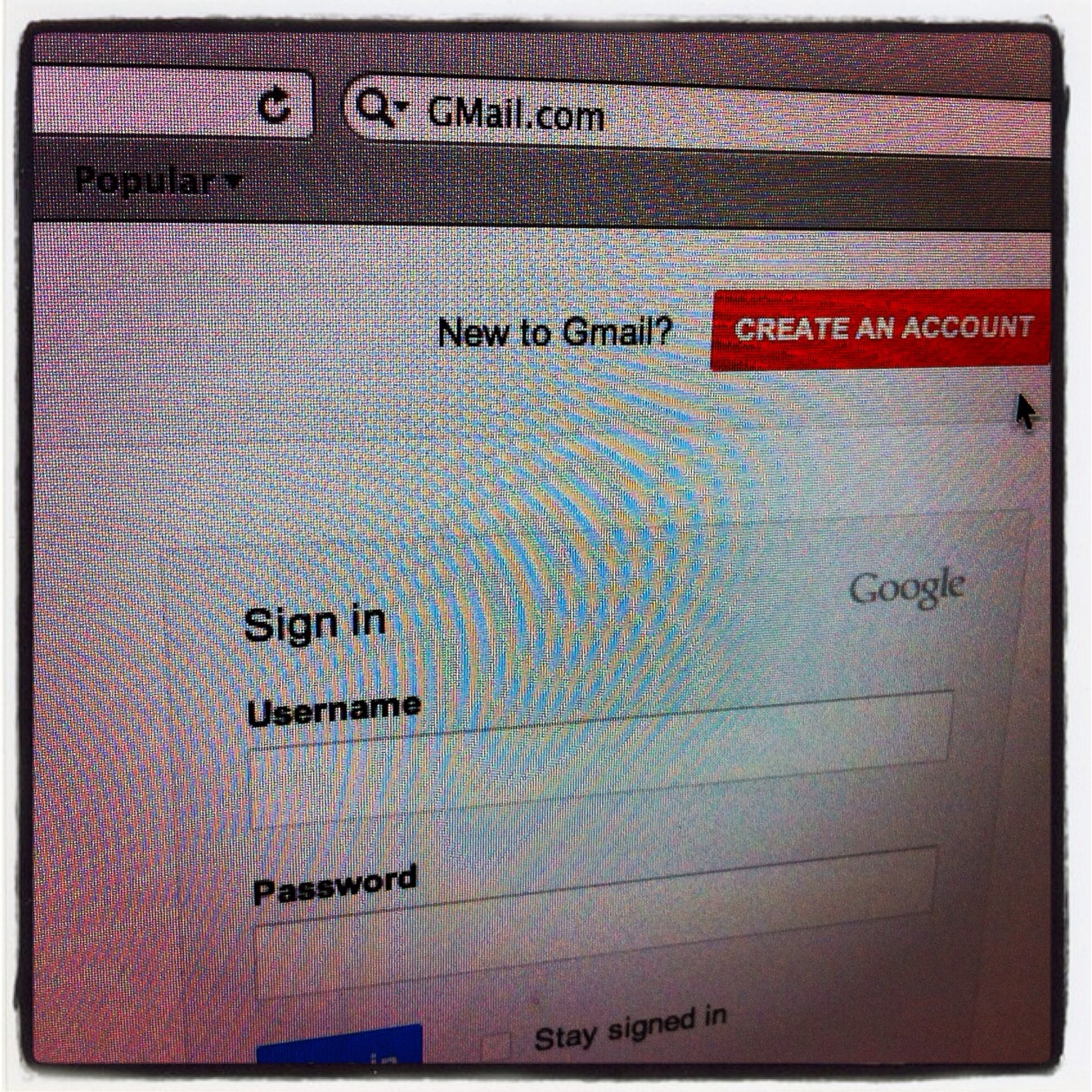
Step #1 Get a "Gmail" account, Gmail is email from Google, it is free to use and is your hub for all the social activities on the internet.

Go to http://GMail.com now

and click "CREATE AN ACCOUNT" on the right in red.


Enter your First and Last Name,  next you will need to choose your username. Since @Gmail has millions of users your best bet for finding an open name is to first try: 

"FirstName.MiddleInitial.LastName"

Next you must create a password, but instead of a password, We want you to make it more secure with a pass phrase or a string of words that you will easily remember.

and to make that pass phrase secure, mix in numbers and letters in a way that you will easily remember.

ThisIsAPassPhrase becomes
Th1$1S4P4$$Phr4$3 for example

Next give your birthday, your gender, your mobile phone number and your main email address if you already have one, if not you can leave this field blank.

Now you will need to pass the captcha to prove that you are not a robot.

Give your location by country

Check "I agree to the Google Terms of Service and Privacy Policy"

and leave checked "Google may use my account information to personalize +1 content"

Click Next Step bottom right in blue


Next click the red "Add Profile Photo" button and navigate to where you have your image saved.

You should use your real picture not a picture of your cat.


After you have uploaded your image you will be able to crop it to fit the space or flip it around as needed.

Once you have your profile image to your liking click the blue "Set as profile photo" button bottom right.


You will get a chance to make any changes you would like or just click the blue "Next step" button to proceed


You're all set!

To change or update any of the settings you just set, click on your profile icon top right.


Lastly click the blue "Continue to GMail" button, bottom left to advance into your new gmail account.


What the Heck is This Site for Anyway?


Life would be so much easier for web designers if the site owner would answer three questions before you start the design.  A web user should not have to guess your message.

A little background before we start. To often what an owner envisions for their site it is completely different from what web users are seeking. The trick to being effective is reversing your roles and become the seeker. The seeker is always after what is important to him or her. The content is the most important thing. Let them find the content, and take an action easily, and you will succeed.

If you are lucky enough to have your creation listed high enough on a search to be seen. Then lucky enough to have the right data displayed to catch the eye of the seeker, and gets him or her to select your page. Why have what you want him to do buried behind another set of menus. ( And yes I used the word lucky to give all the SEO guys out there a little chuckle.)

The standard joke about the midwest and mountain section of our country being the fly-over states is ten fold truer when it comes to much of the content that makes it on to most sites. Much of it must be somewhere, it is also very pretty, but just knowing it is there is enough.

1. What Are You Offering Specifically?

A list of your capabilities in a form that is saying here is your answer for the problem I understand you have. (The web equivalent of sound bites)
Yes support and backup are essential but always presented as “Here is the answer for your problem. Here is the cure for your pain.”  

2. Who Do You Want To Spend Time On Your Site?

This is always so obvious to the site owner, but we need to be told. People outside a profession have no clue as to what is really going on. You text addresses them. You expect them to come - they need you. You should really care less about some none potential customer not understanding why your site exists.

3. What Action Do You Want Them To Take?

This site visitor had a problem, they were seeking a solution that you recognized, and you have it waiting for them, now what?. What does he need to do next? Make his response easy and in plain sight. Do not demand any more information from him than absolutely necessary, but allow a path for him to say or upload as much as he might want.


Google Plus SMMOC First Impressions


Cindy Ronzoni asked if Stacey Soleil and I would give our first impressions about Google's new social layer, Google+.

What is it? Where is it going? and What can it do for you?

Read Cindy Ronzoni's, PR expert Los Angels, entire Google+ post by clicking here!

Are you in my orbit?


#EAvSC 2.0 Boardmeeting @SCPier


Can An Agency Tweet for a Client

“Do you think an agency can tweet for a client?” he leaned over and asked me on the last day of BlogWorld. That question had been on my mind from arrival and now it was going to depart with me. In what ways can an outside agency help a company tweet their message? Or even, gulp … should an outside agency tweet for a company?

Initially I really felt “no” was the only answer. After all if you are in the space to create relationships and if you are to be valued on your transparency and authenticity, two common value words touted in the space, you can’t be a standin for another company like some kind of digital Cyrano de Bergerac. Can you? Should you? Doesn’t it defeat the purpose? Can you engage for someone else?

It didn’t fit our philosophy of how social media should be delivered. It didn’t seem appropriate. Then we found ourselves tweeting for a client. We never set out to do it. But we were doing it. We were ghosting, tweeting for someone else.

Our intentions were to get the account going, use our experience to build the account, find the appropriate followers, to seed it well while we began training an in house replacement. We built up the account and discovered opportunities which could have easily been lost had we just uploaded a picture and background told the client to be sure to check their @’s and DMs, teach them about hashtags, advanced twitter search, inside and outside lists, strategical syntax and techniques to expand their reach.

Because talking about these things is very different from doing them.
“The law of nature is, Do the thing, and you shall have the power; but they who do not the thing have not the power” Emerson
Our experience in the accounts of our clients has led us to value our activity behind the icon of a client. I would add a few important amendments though. Transparency is important not only for clarity to your followers but to business prospects. "Tweeting out for ...." and introducing a real live human behind an icon is not only appropriate but aids in making real relationships. It's hard to have a relationship with an icon. We don't know what they do on the weekends

How do I reinterpret our delivery model to best serve our clients?

One image I like of a good agency twitter service is that of a Switchboard operator. But this switchboard operator doesn’t just know where to plug in for people, our Twitter Switchboard Operator also knows to plug into keywords and phrases, hashtags, community groups, our TSO knows the keywords, the industry leaders and online influencers as well as connections to the traditional media. It’s not your intern. The ideal Twitter Ghost is part dj and part matchmaker part sleuth and part host, reciprocity is second nature and your message is articulated, echoed and resonates with your team.

But more on that later.

On Twitter @LisaMcClure

Never Begin a Tweet with an @ and Why

A very quick and easy way to limit the reach of a Tweet is to begin it with an @.


That wasn't always the case. When @Twitter first begin
we could see Everyone's @'s to Everyone.

This is how @'s work @Twitter now,
For example if I were to Tweet out to Darin

@DarinRMcClure are you ready for lunch?

only our subset of shared friends will see that tweet beginning with an @.

However, change up the syntax, begin the Tweet with anything but an @ symbol, like this

Hey @DarinRMcClure are you ready for lunch? 

or sometimes you may see a dot used for this very reason.

.@DarinRMcClure are you ready for lunch?

In closing, you come to @Twitter to share and connect, do not limit that connection.

Social Media, Surfrider And The Numbers


Jim, Give us some numbers... what kind of scale are we talking about here?

How many people are being touched by @Surfrider's message?

click here to see #srfrdr tweet reach for the last 50 tweets tagged.

The Surfrider Activist Toolset via Jim Moriarty


So Jim please tell us your mix of tools, what do you use to accomplish what? What are the killer apps you ALWAYS go to...
 
Copyright © 2014 Internet marketing service in Nashville, Tennessee (615) 669-9584‬