BREAKING NEWS
Showing posts with label How-To. Show all posts

How To "Reboot" Your Router ASAP

How To "Reboot" Your Router
What is a Reboot anyway? 

The FBI has warned of a new malware that has been found to infect the device that shares the internet throughout your home or office. By the way they want you to "reboot" it ASAP!! REBOOT definition, turn off the power to the device, wait a bit, turn the power back on.

Easy Instructions; UNPLUG your router's power, wait a bit, plug back in after all the lights have turned off.

What devices were targeted?

  • Linksys: E1200, E2500, & WRVS4400N
  • Mikrotik: 1016, 1036, & 1072
  • Netgear: DGN2200, R6400, R7000, R8000, WNR1000, & WNR2000
  • QNAP: TS251 & TS439 Pro
  • TP-LINK: R600VPN
If your router is not on this list, please reboot anyway. It won't hurt anything and you will learn the most valuable skill that this tech blogger has ever used in the wild for solving a wide range of issues. 

Need help? Contact Us.


"This Is Your SEO" The Words You Want @Google

"This Is Your SEO" The Words You Want @Google

In the Post field make sure you have the keywords that you would like to be found with in a search at Google. This is your SEO, short for Search Engine Optimization. SEO is the words found on your webpage. Use the words your target audience would search for. Because "This Is Your SEO"

Next Up, How to write your "Man Bytes Dog!" or "Your Social SEO"

How To: "This Is Your Social SEO"

This Is Your Social SEO


This is your man bytes dog, the very first line of your post this should be remarkable, or at least interesting, and it should most certainly be conversational, and no longer than 120k (this first thought can also become your search description) "Man Bytes Dog Is Your Social SEO"

Next echo your SEO here in the second paragraph and tell how you are going to show me "This Is Your SEO" or "The Words You Want @Google" Tell me a story!

Lastly thank your readers, viewers and lurkers and give them a call to action. If you think this post helped you understand a little more about "This Is Your SEO" & "This Is Your Social SEO"  please share with your preferred networks.

How To: Post to Draft @Blogger in 8 Steps

Blogger Updated,
New Walk thru here for steps #3 forward  "This Is Your SEO"


Step 1. Go to http://draft.blogger.com 

sign in with your @gmail address 

if you are on your home computer, check "Stay signed in"

"Blogger in Draft" is where all the cool stuff rolls out first to Blogger. 


Step 2. Click the "Orange Pencil" for the blog you want to post to.

Note, if you have more than one blog, the last blog you posted to will be at the top.


Step 3. Write a "Post Title" in the title field & write your blog in the "Post Body"

You have all the formatting options right above the post body, click to change the font, font size, add a photo or a link etc. 


Step 4 click on "Post settings" to the right of your posts body, this will pop out,  "Labels, Schedule, Location & Options."


Step 5.  Add a "Label" to your post.

Remember, the internet is not a searching problem, it is a sorting one. 

Curate the content you create!


Step 6. Schedule your post.

By selecting "Automatic" your post will be posted immediately. 

By selecting "Set date and time" you can choose a time in the future that your post will be posted to the blog.


Step 7. Search for and set the "Location" of your post.


Step 8. Click "Publish"

After you click visit your post and proofread it.

You should read your post out loud as your ear is the best editor you have.


Into Your Gmail Inbox #iaswaga

Welcome to your inbox, this is your jumping off point.

With your new @gmail address you will be able to move all of your important documents and photos onto the cloud, you will also be able to use shared calendars and write your own novel, the choice is up to you.


Click on Google, to save your videos at youtube, to view your calendar,  to upload your music, to blog, to listen like the bionic human to the things that matter with reader & to upload all your photos to the cloud.

If we can get you to your inbox we can go anywhere.


The social site that IOS comes built in with, (iPhones, Ipads, Ipods, Dishwashers...) is twitter,

Twitter is a place to listen and is the most important social networks out there during a disaster and why we teach that first.

Go to Twitter.com and sign up with your new gmail address!

It All Starts With A Gmail Address #iaswaga


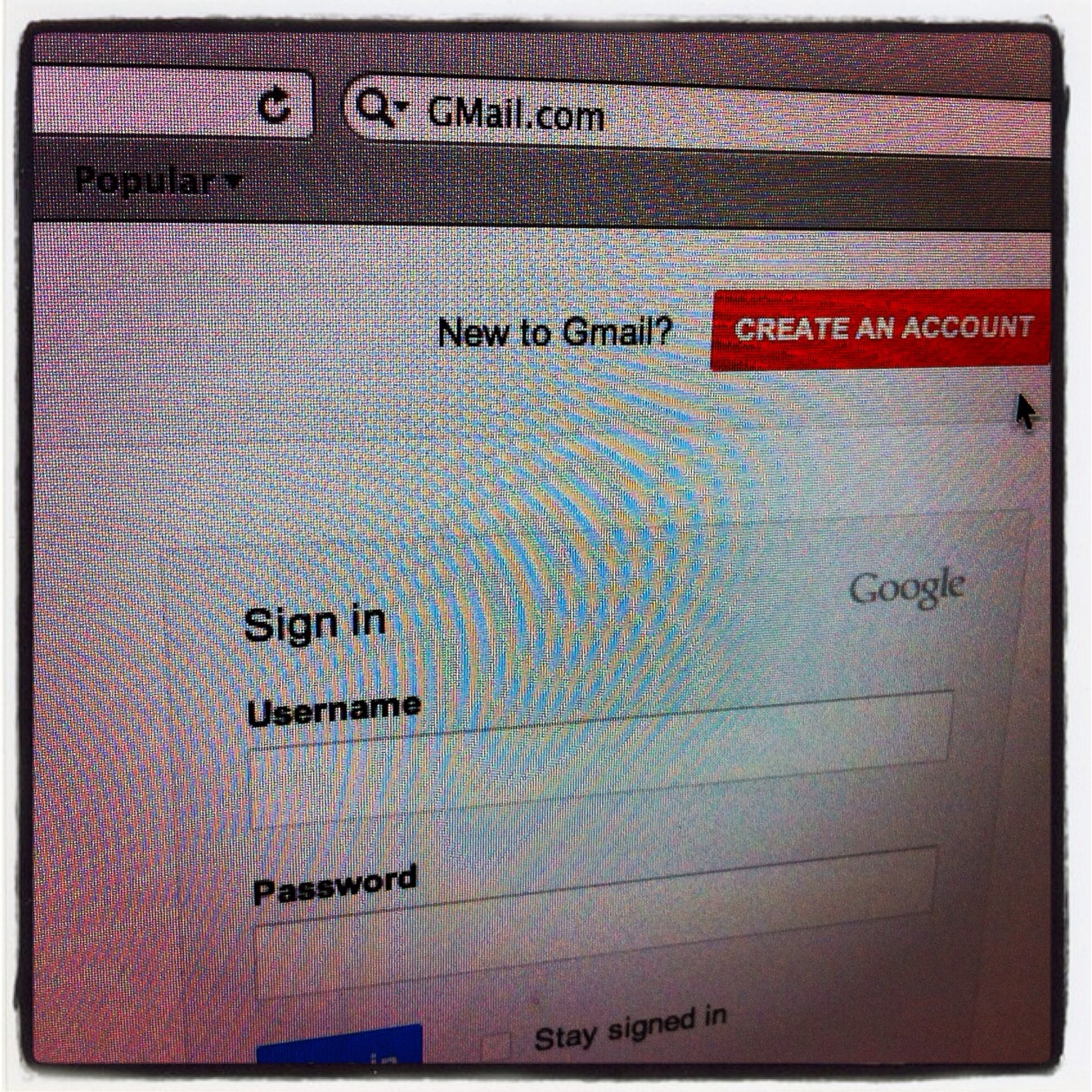
Step #1 Get a "Gmail" account, Gmail is email from Google, it is free to use and is your hub for all the social activities on the internet.

Go to http://GMail.com now

and click "CREATE AN ACCOUNT" on the right in red.


Enter your First and Last Name,  next you will need to choose your username. Since @Gmail has millions of users your best bet for finding an open name is to first try: 

"FirstName.MiddleInitial.LastName"

Next you must create a password, but instead of a password, We want you to make it more secure with a pass phrase or a string of words that you will easily remember.

and to make that pass phrase secure, mix in numbers and letters in a way that you will easily remember.

ThisIsAPassPhrase becomes
Th1$1S4P4$$Phr4$3 for example

Next give your birthday, your gender, your mobile phone number and your main email address if you already have one, if not you can leave this field blank.

Now you will need to pass the captcha to prove that you are not a robot.

Give your location by country

Check "I agree to the Google Terms of Service and Privacy Policy"

and leave checked "Google may use my account information to personalize +1 content"

Click Next Step bottom right in blue


Next click the red "Add Profile Photo" button and navigate to where you have your image saved.

You should use your real picture not a picture of your cat.


After you have uploaded your image you will be able to crop it to fit the space or flip it around as needed.

Once you have your profile image to your liking click the blue "Set as profile photo" button bottom right.


You will get a chance to make any changes you would like or just click the blue "Next step" button to proceed


You're all set!

To change or update any of the settings you just set, click on your profile icon top right.


Lastly click the blue "Continue to GMail" button, bottom left to advance into your new gmail account.




Listen Create Engage Understanding The Wheel

Getting from here to OH MY GOSH!

Listen, Create, Engage,

We all understand that wheels roll, but how do you get rolling in Social Media?

And NOT LOOK LIKE A KOOK!

First, Stop and LISTEN for something that is RELEVANT RECENT & LOCAL to ME! (not you)

Find something neat? CREATE and SHARE.

Next you ENGAGE this is where serendipity comes in.

Conversations build Connections, Connections build Lives.

These are the three parts of the conversationl wheel.

If you miss any of these three parts, you are missing what will roll you along...

The wheels on the bus go round and round, round and round, round and round...

iPhone Photo Blogging In 4 Steps

iPhone Photo Blogging How To


1) Enable mail2blogger Settings > Email & Mobile > Email Posting Address

2) Take a picture or grab one from your camera roll

3) Email pict to your email posting address in the format above.

4) Edit as needed when home.

Sent from My iPhone


Twitter, Serendipity And The "@" Sign

From How To Bring Serendipitous Conversations Back To Twitter, A Rant


One of the recent changes @Twitter is that if you @AUser only the people that also follow that user will see the @. The solution from @Mashable is to place a . before the @ like .@Mashable

Let's turn it up a notch,

Never start your tweet with an @. Make your tweets talk. BAM!

Hey @Myfollower I think that you ROCK! & my reply to you should be seen for serendipitous reasons alone by my followers that may not know about YOU!

Heck! my @Reply to you may spark the creative juices in one of my followers who may write a post that could CHANGE the way we all do things!

The next time you @Someone in Twitter be sure to craft your tweet to begin with something other than the @UserName and share with a wider audience. (If you wanted no one to hear you, you would have sent a DM right?)

Let us know how that works for you and add your discoveries below in the comment section.

How To Write A Mobile Optimized Blog Post @Blogger


Blogger Updated, Please visit >  "This Is Your SEO"


From How To Write A Mobile Optimized Blog Post @Blogger


1) In the title field craft something that would be searched for, something unique, 4 to 6 words long with no Boolean terms added.

2) Add a link to your homepage url in the link field.

3) Embed A Picture. (Here we used Picasa.)

4) Write a "Man bites Dog" intro, no more than 120 characters. Craft it as a tweet, to be shared easily. MAKE US WANT TO READ MORE!!!

5) Now write the Body. Feed Me Seymour! At LEAST 2 or more well thought out paragraphs of info matching #1 (your title).

6) Video & Other Non Mobile Friendly Media goes here.

7) Add a label for similar content. Direct your readers to other posts they may enjoy.

8) LOCATION LOCATION LOCATION! Can be set to your location or the location of your target audience.

9) Click Publish!
Blogger Updated, Please visit >  "This Is Your SEO"
If you liked this post, you may also like Post to Blogger in Draft in 8 Steps
If you liked this post, you may also like iPhone Photo Blogging In 4 Steps

How to share your PDF's, have analytics, and spend $0 on hosting


Popularity has it's price, that price is $3 per gig over your quota, (YMMV) those words have brought fear and dread to more than one web user over my support career. Yes if you host a 1 meg file, and link to it from your home page, it will blow thru your quota if you become popular, so from this side of the help desk, here goes, "How to share your PDF's, have analytics, and spend $0 on hosting"

1) login to your gmail account, then click on documents top left,
2) click the Upload button, Select the files you want to upload, and click open
3) Navigate to the new file and click on Share > Sharing Settings > Change
4) Set to "Public on the web" and click Save.
5) Copy the link for IM or email and use that as the HREF for the link on your site.

Has many more uses than just sharing a paper airplane.

What is Not Measured, Is Not Managed,

Make sure to add your Google analytics info to docs so you can know when you go viral!

1) Google Docs > Settings > Editing > Document Tracking, add your UA# and click save.

2) Contact your web host and have them 301 redirect the old pdf to the new Google Docs link.

You are now free to spend your cash on other things.

Enjoy!

BP Buycott


Change your fuel to CNG, Change the world.

How you can help end our nations quest for more oil and all that entails?

Buycott British Petroleum with a Honda Civic GX!

What Are QR Codes Anyway?


@antonymd explains what these weird little crossword-like logos mean, and more importantly, why this matters for marketers...

My Feedburner Feed Stopped Posting To My Twitter Account

Did the Birds stopped tweeting?


Has your @Feedburner feed stopped pushing out to @Twitter? Here is your fix...

Simply re-add your twitter account and go through the auth process again with twitter. Yes, just add the twitter account again from the socialize page and press "Save".

This is an issue where OAuth tokens expire between Google and Twitter. Reading this has been fixed but the fix is not in production yet...

Embed Youtube Vids For iPhone Viewing


Cheap Thrills for #MusicMonday.

Don't you just hate it when you embed a Youtube video, and when you view the page via your iPhone you get the stupid this is a flash embed block thingy? Me too, here is the fix.

1) the vid has to be available for mobile devices

if it's your vid this is easy to check, edit your video and make sure it is available for syndication.

2) make sure that "Enable privacy-enhanced mode" is Un-checked when you generate your embed.

Once you have done these two things, your youtube embeded videos will be ready to go for viewing via your iPhone.

Blog Happy!

What is Microsoft Image Composite Editor?


Microsoft Image Composite Editor is an advanced panoramic image stitcher. Given a set of overlapping photographs of a scene shot from a single camera location, the application creates a high-resolution panorama that seamlessly combines the original images. The stitched panorama can be shared with friends and viewed in 3D by uploading it to the Photosynth web site. Or the panorama can be saved in a wide variety of image formats, from common formats like JPEG and TIFF to the multiresolution tiled format used by Silverlight's Deep Zoom and by the HD View and HD View SL panorama viewers.

How To Embed A Picasa Slide Show

From Ready To Go information technologies

@Blogger in Draft is having issues with adding images to blog posts,


NEVER FEAR! PICASA IS HERE!

Step by Step Blogger FTP Migration Tool


@RKlau walks you thru using the Blogger FTP Migration Tool that should be rolled out this evening. Blogger FTP will be closing May 1st.

I Want My Disney Style Monorail!


We are headed to the biggest traffic jam ever seen by man... but there is a solution, and Walt started it in 1959, Now is the time to go back, So we can all move forward.

And as ever we will be right in the middle of it.

Join us Today for the Southern California Transit Forum.

U is for Use


How To Use Twitter To Affect Social Change

Because if you are not using a tool, how can you understand it?

 
Copyright © 2014 Internet marketing service in Nashville, Tennessee (615) 669-9584‬